Jump ahead to different projects...
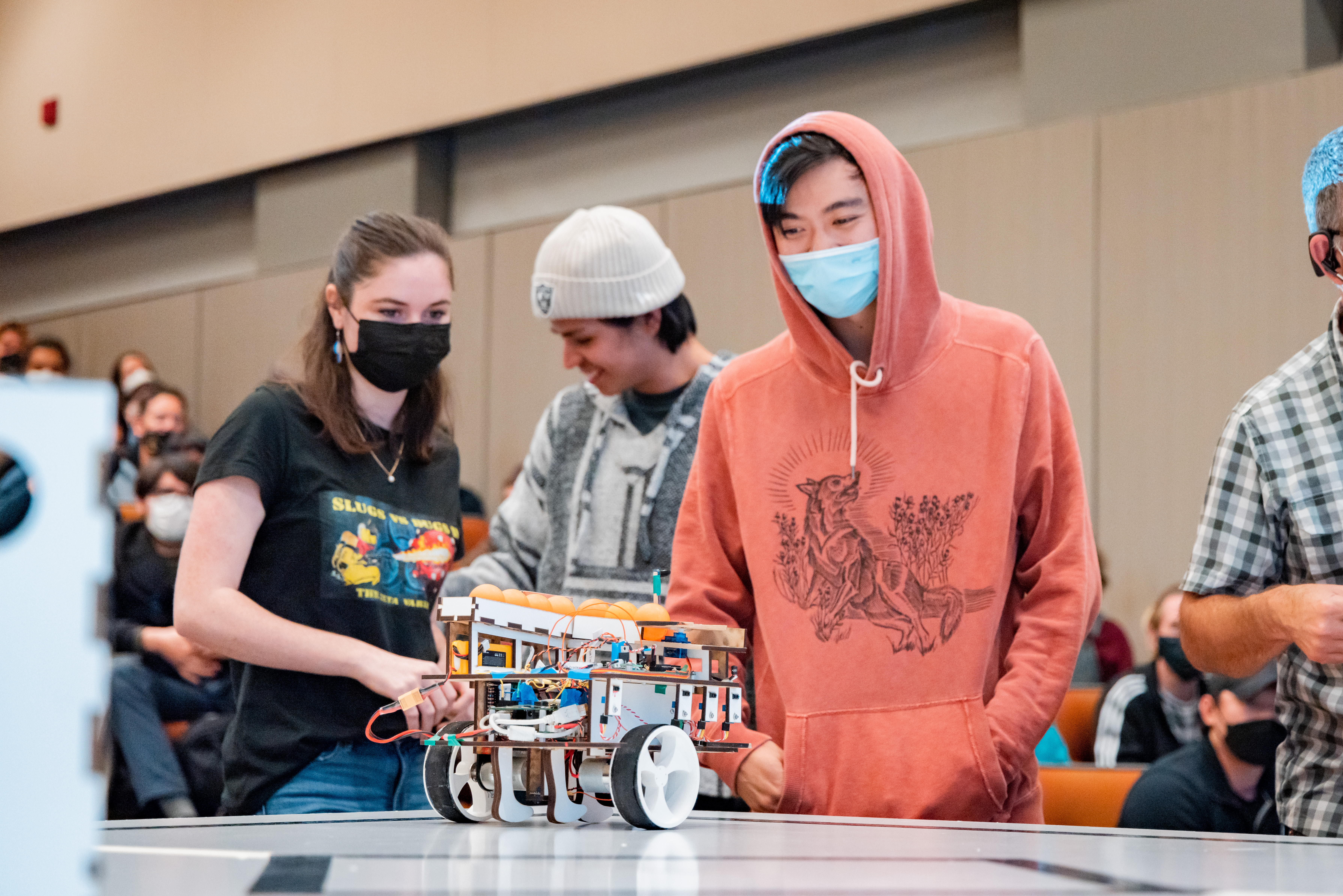
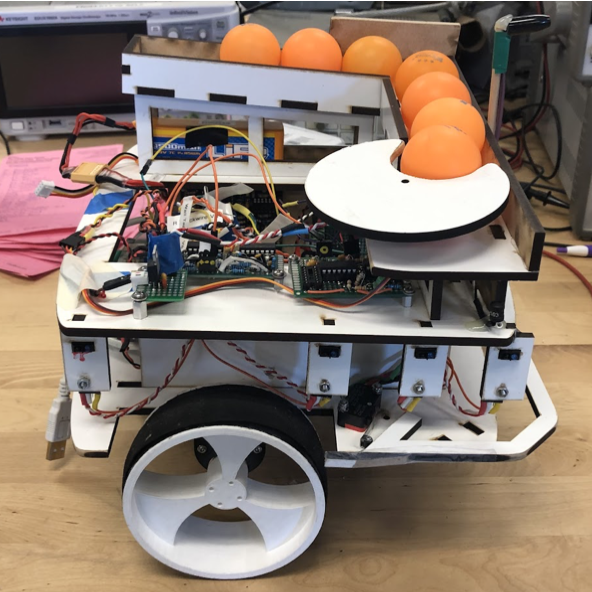
The goal of this project was to create an autonomous ground robot to effectively and robustly navigate a
standardized 8’x8’ field and avoid obstacles. This would involve designing, CADing, and laser cutting a chassis; designing,
breadboarding, and soldering circuit boards and sensors; and creating a complex hierarchical state machine all from scratch
within the frame of five weeks.
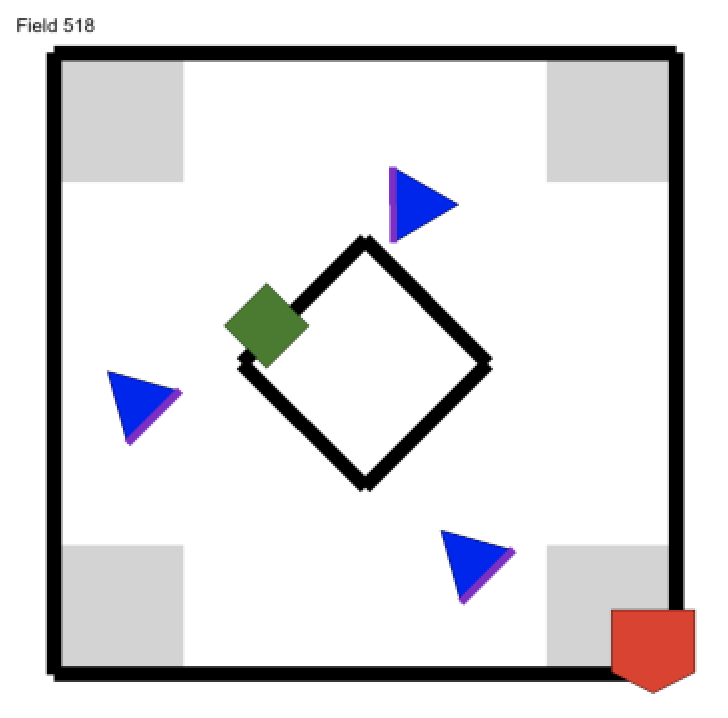
In order to complete the challenge, the robot must locate three randomly placed triangular vat towers
around the field, marked with a 2kHz beacon on the top; identify the correct side, marked with a 25kHz trackwire;
and identify the correct hole on that side, marked with black tape; and drop a ball into it. It should also be noted
that a dead robot (modeled with a 11” black cube) will also be randomly placed within the field, and the robot must be
able to properly ignore and avoid it. Points will be lost if more than half of the robot goes into the out-of-bounds portion
or the edge of the field, again marked by black tape, or if a ball is dispensed into an incorrect hole. In order to properly
meet minimum specification, the robot must fit within an 11” cube and be able to drop a ball into the correct holes of at least
2 different vat towers in less than two minutes. Both the field and the randomly placed vat towers are shown below. Example
generated fields can be found here for reference, with the highlighted
side of the triangles being the active face of the vat tower and the green box being the "dead robot".
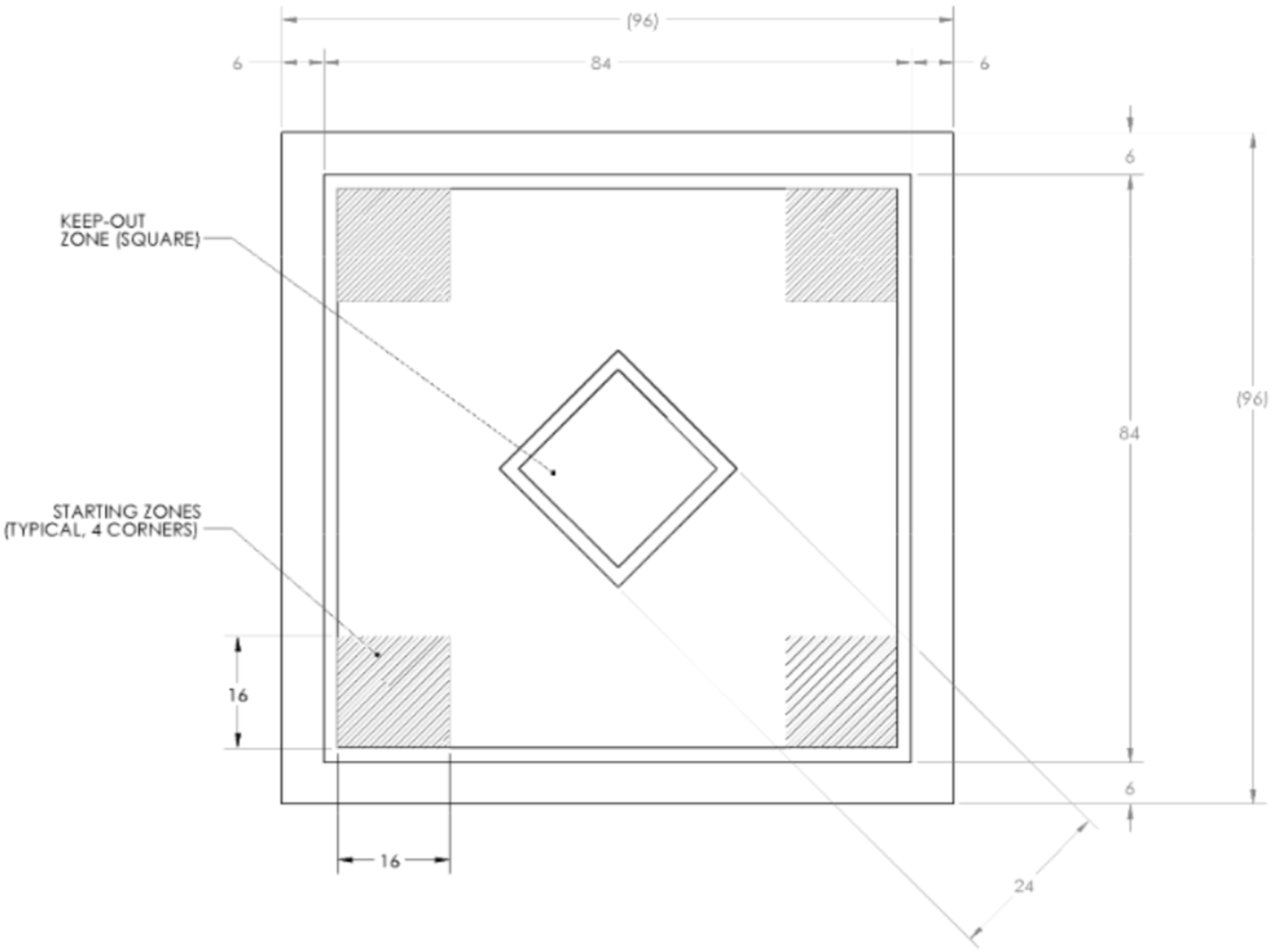
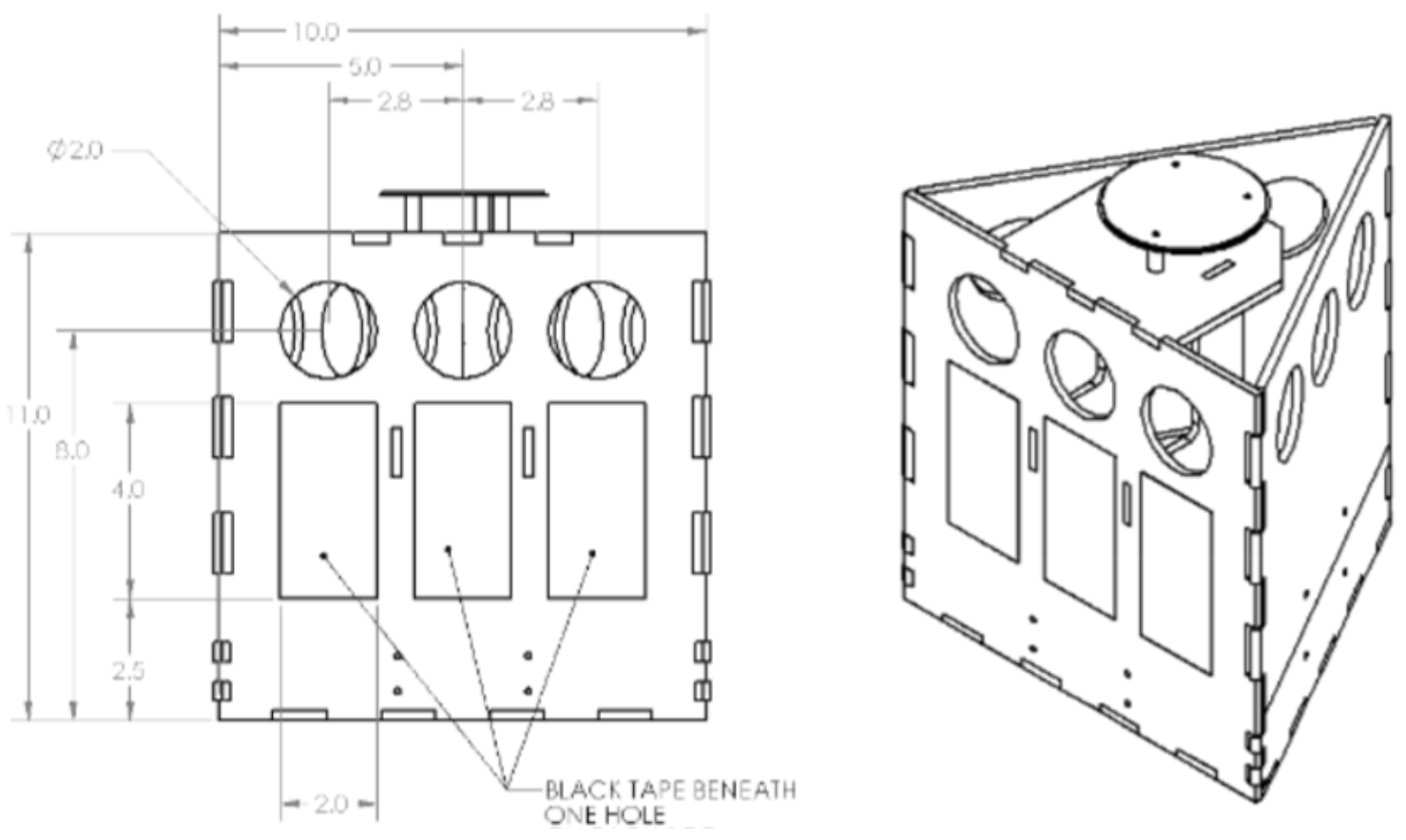
Within the three person group, although each team member was involved in every portion of the robot, generally one person acted as the primary lead (with focuses including CAD, circuit, and software development) and the remaining group members would act as product reviewers. With my extensive experience and confidence in programming, I acted as the lead embedded systems developer, which included brainstorming complex logic and working with my teammates to ensure the hardware and software are able to complement each other efficiently to execute said logic. This also involved making rapid significant logical changes as the project developed and debugging the increasing complex system.
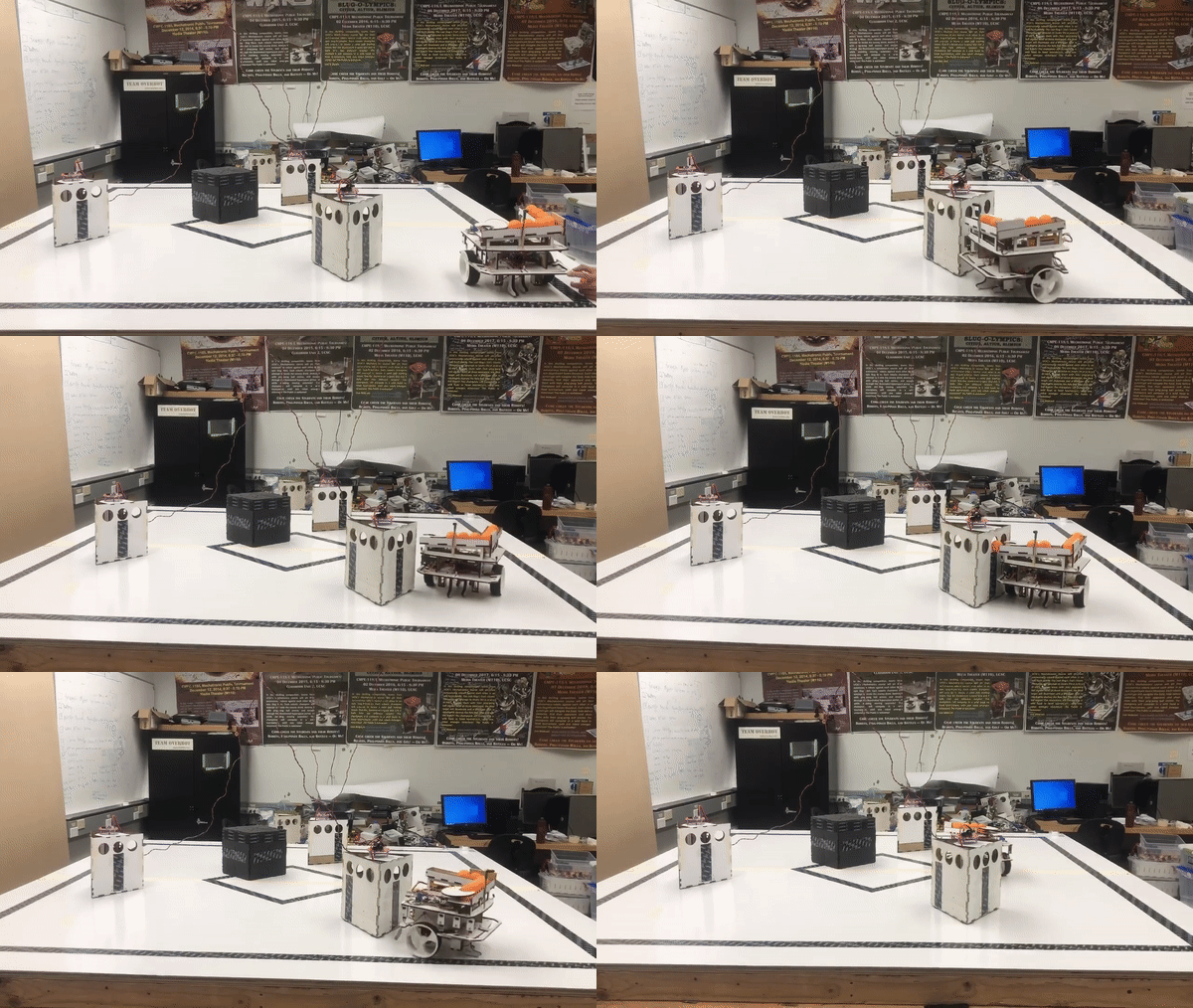
The hierarchical state machine which was used to control the robot relied very heavily on a bump-based wall follow technique.
This would include pivoting on one wheel until the corresponding bumper hit the vat tower, unpivoting
60 degrees, and moving forward a small amount before repeating the process. This would ensure
that the robot would remain close to the vat tower and be able to navigate corners fairly well.
During this state, if the vat was too close to an edge of the field and the robot found floor tape, it
would simply turn 180 degrees and repeat the process, bumping along the other side of the robot.
This can be seen in the gif demonstration above, and allowed the robot to both navigate a newly found tower in an attempt
to find the correct hole, as well as navigating around a completed tower in an attempt to find the next target.
Although the group originally had “parallel parking” with standard turns to get to a proper position to dispense a ball,
this proved to be extremely inefficient, and would either take far too long or not get close enough for the ramp to correctly
dispense the ball. To remedy this issue, the group added two additional tape sensors on the side
of the robot to help customize the unpivot and back up timers to ensure it is able to get directly
parallel to the vat tower as quickly and efficiently as possible. In order to do this, the group
read the values while the bot stood at various angles and distances from the vat tower and recorded
the thresholds for which they would like to do different movements. Using this, the group could use the distances
from the tower to determine the angle at which the robot should turn; this logic is shown in more detail in the final
hierarchical state machine, shown below.
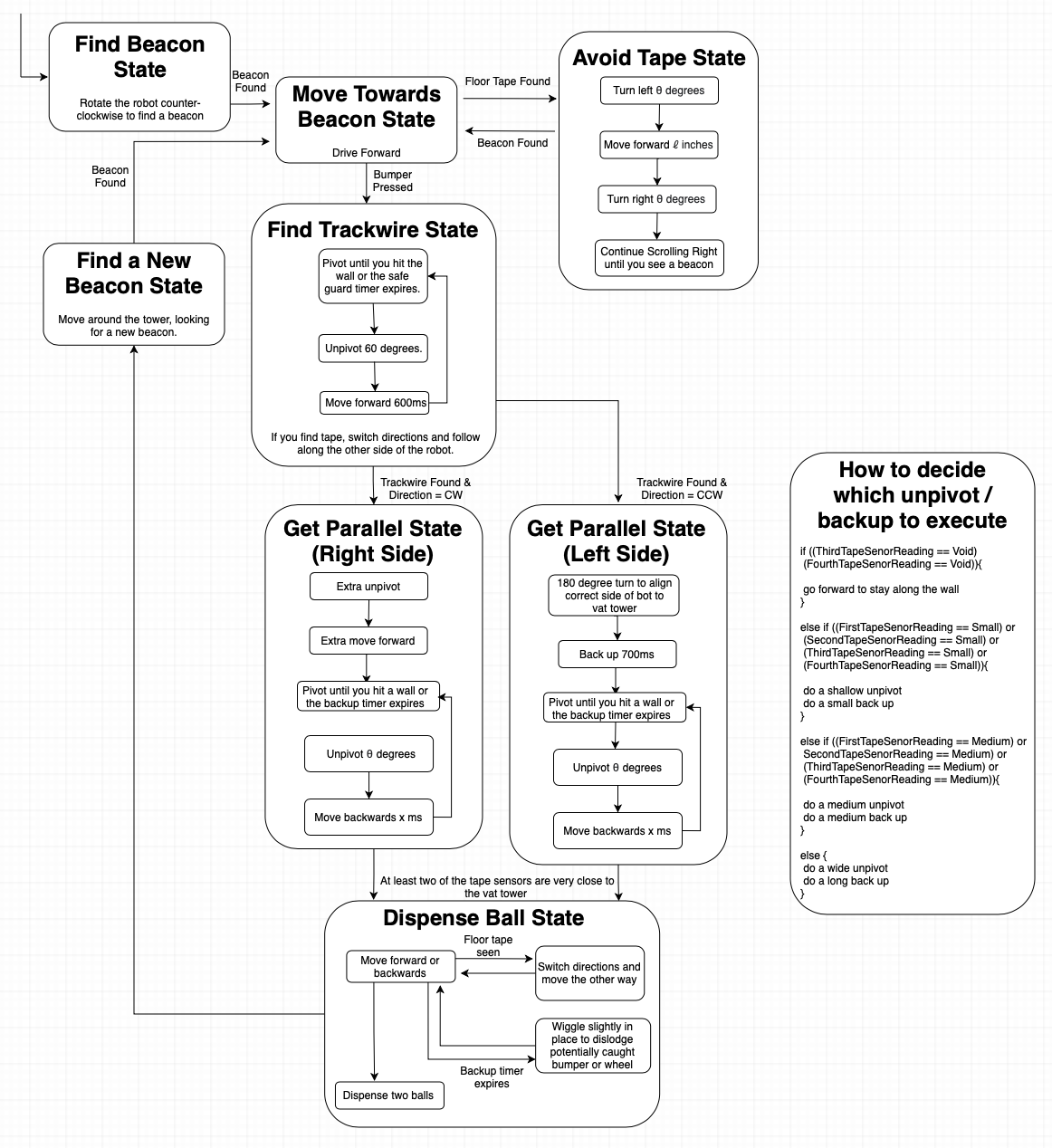
It should be noted, because the robot would sometimes get stuck on either the bumper or the wheels, each state has a pseudo-watchdog timer that would jolt it out of its current state and position to help it become dislodged. This being said, in the end, the group was left with an effective and functional robot that could robustly autonomously navigate a randomized field and consistently complete the challenge in well under two minutes.
For more details regarding the project, please feel free to reference...

In order to demonstrate a real-world application of the extensive skills and experiences I have gained
throughout my time in university, I am participating in a year-long capstone course.
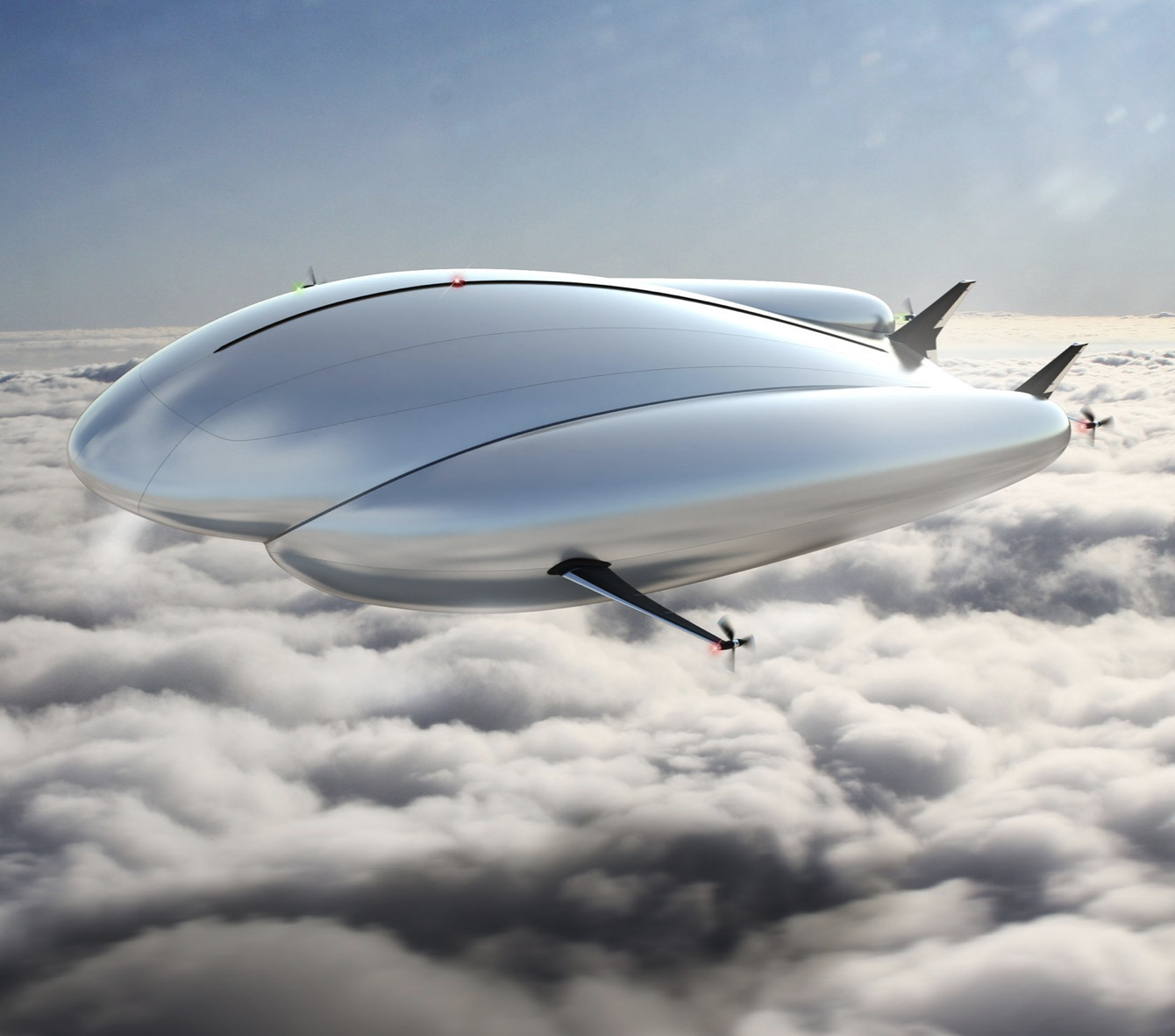
For my project, I was given the opportunity to join an eight person team with the goal of developing a long-distance, fully autonomous UAV
which is able to complete an extensive ecological survey. As a software lead, I created a complex heirarchial state machine which
communicated between two on-board computers as well as a ground station, as well as integrating two computer vision algorithms.
This project was managed using SCRUM and Agile techniques, which includes gantt charts, daily standups, and sprint plannings/reviews.
It should be noted that the team is split into two subteams- the vehicle team and the payload team. The payload team, which is my
main focus, is responsible for taking a physical airship and adding the required sensors, OBCs, and environmental payload in order to
allow for autonomous mission.
With many bodies of water in remote and hard to reach locations, sending a hydrologist out to conduct water quality assessments can be difficult and time consuming. In order to help resolve this, my group aims to implement a UAV payload that can be designed with a multiparameter water quality probe (aka “sonde”) to reach these remote bodies of water much easier than a hydrologist on foot can and collect useful data from a wide range of points along the water’s surface. However, current UAV technologies lack the ability to hover for long periods of time while also maintaining an extensive weight load, characteristics necessary for this application. A lighter than air UAV would eliminate the costly energy consumption of hovering and enable the craft to travel longer distances more efficiently. In order to meet these requirements, the group decided to focus on the creation of an airship, with the delivery of the sensor payload being facilitated by a winch.
In order to complete an autonomous mission, the airship will utilize the open source autopilot system Ardupilot. A custom vehicle model
will be created to ensure an appropiate feedback control system and thus a successful autonomous mission. This will be
run on the vehicle OBC, a PixHawk 4. It will communicate via MAVLinks, a lightweight messaging protocol, with both a ground station and the
embedded system heirarchial state machine being run on the payload OBC, a Raspberry Pi 4.
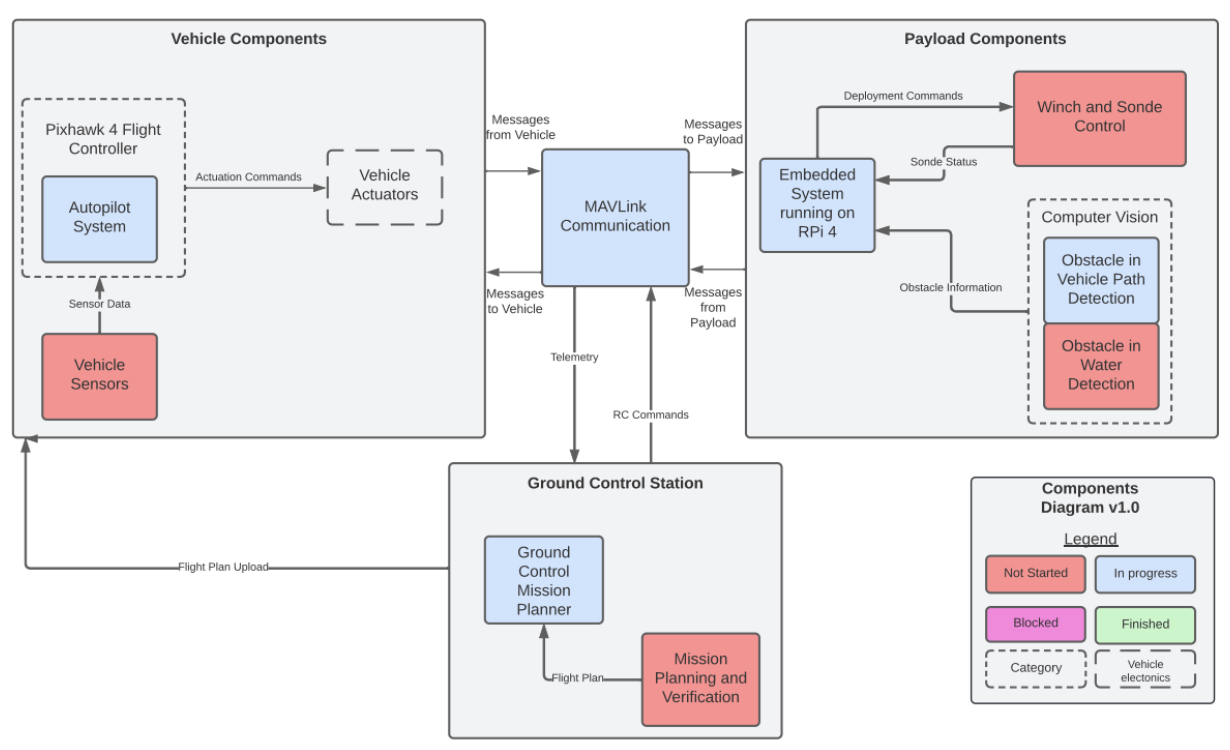
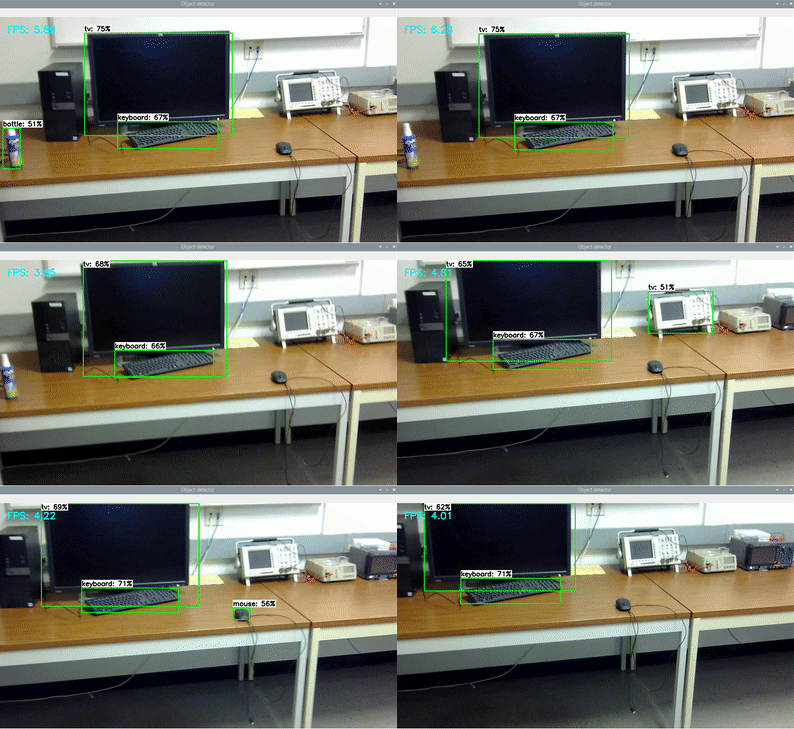
The embedded system will incorportate two computer vision implementations, one for obsticle avoidance during flight and one for water detection below the drone; this will likely utilize the TF Lite Algorithm as it has excellent FPS and minimal lag, although there will need to be a lot of work completed in order to ensure proper detection performance.
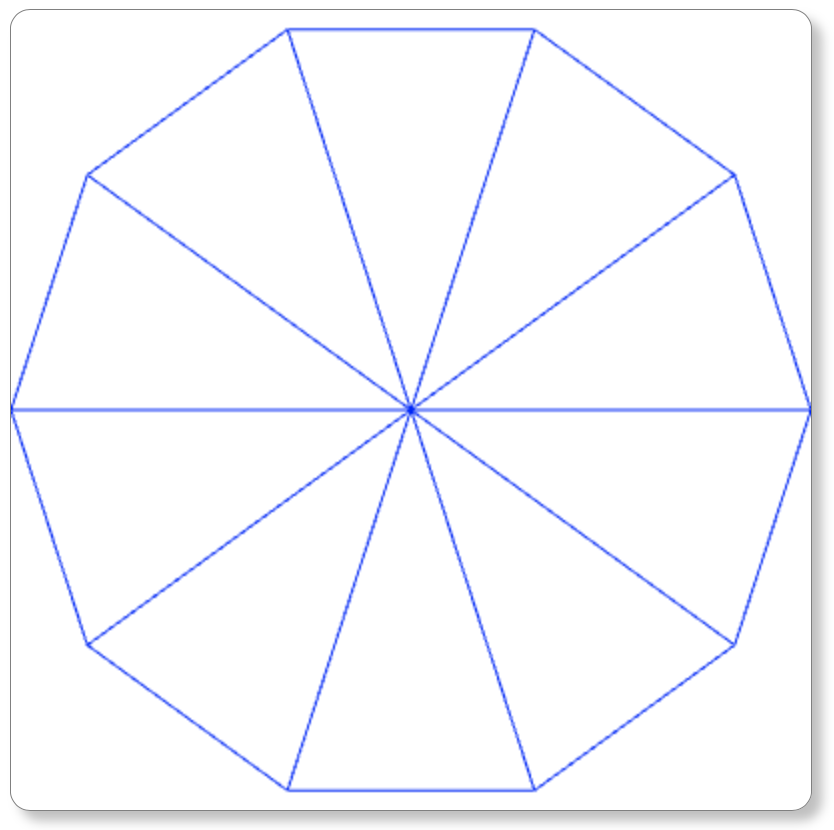
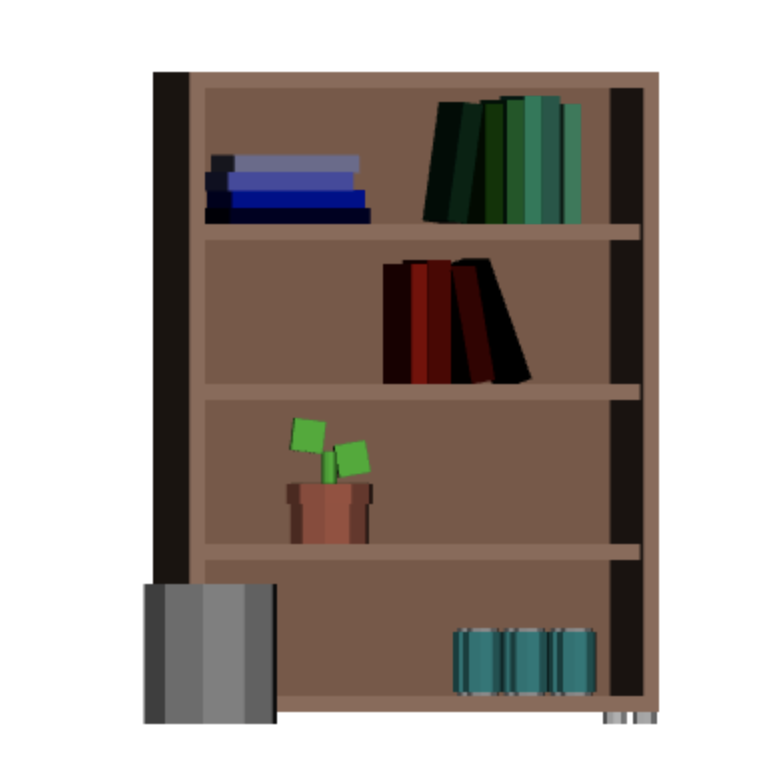
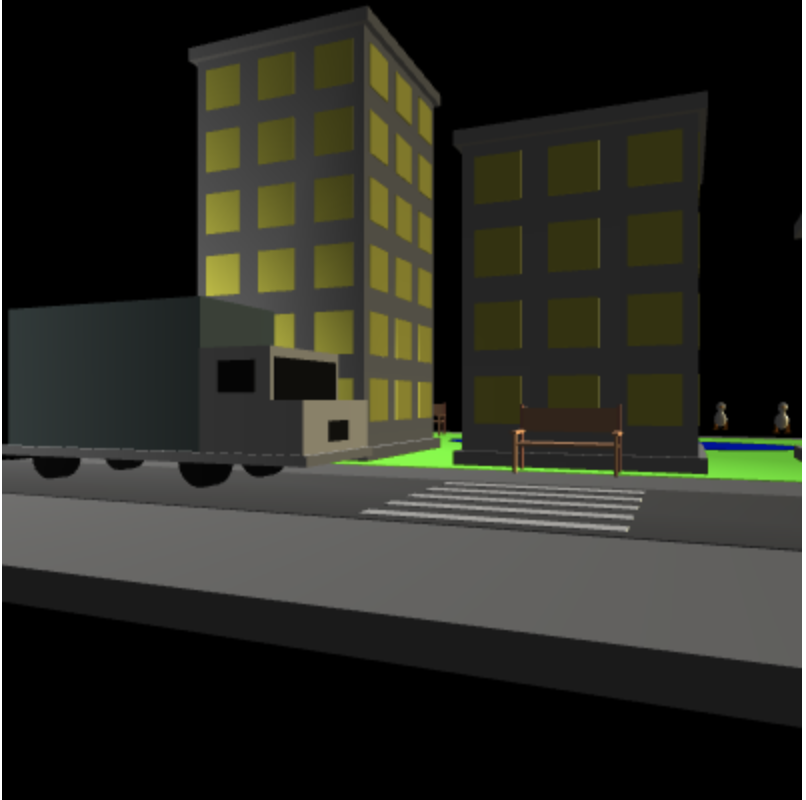
WebGL is a JavaScript API for rendering interactive 2D and 3D graphics within any compatible web browser without the use of plug-ins. Projects come from the UCSC course CSE160: Introduction to Computer Graphics and were completed without the use of higher level libraries. The labs within this course test not only creativity, but also the patience to carry out a vision and create incredible scene. The labs are built upon one another to create increasingly complex displays, ranging from an outline of a single simple shape to an explorable city block. Linked to each project is the prompts and expectations provided by the course, as well as the goals/expectations, a user guide, and an example of how the project may look.